One intent becomes five workflows
The campaign goal is repeatedly translated between audience filters, briefs, assets and outreach logic.
Case Study 02 · Multi-agent campaign creation
Northline turns a campaign goal into an audience, story and outreach plan through a team of specialized AI agents — while keeping the marketer in control of every consequential decision.
Problem
A marketer may start with one goal, but getting to launch means moving through CRM segments, messaging, channel setup, sequencing and approvals. Each tool knows its own piece. The marketer has to hold the whole campaign together.
The campaign goal is repeatedly translated between audience filters, briefs, assets and outreach logic.
Generating everything at once looks efficient until the wrong audience or message propagates through the entire campaign.
People spend attention reconciling tools instead of judging whether the campaign itself makes sense.
The design problem wasn't “How do we generate a campaign?” It was “How do we let AI do meaningful work without taking campaign judgment away from the marketer?”
Approach
The core architectural decision was to split campaign work across four specialists while giving them one shared campaign context. Each agent owns a different kind of reasoning; the marketer owns the decisions that change who is reached, what is promised, and how the campaign progresses.
Turns a business goal into a coherent direction and gives every downstream agent the same intent.
OwnsGoal framing · campaign direction · readinessEvaluates CRM fit, seniority and consent, then keeps meaningful alternatives visible for comparison.
OwnsEligibility · fit · reach · consentCreates a campaign promise once, then adapts it across channels without allowing each asset to drift.
OwnsMessage · channel adaptation · generationConnects timing, branching and qualification into an inspectable journey before anything is activated.
OwnsTiming · branching · qualification · handoffNot every campaign action needs the same level of attention. Northline handles routine preparation in the background, brings meaningful trade-offs into view, and asks Maya to confirm the moments that change what customers will experience.
Design approach
Each decision solves a different trust problem: choosing a recommendation, shaping generated work, editing automation, and committing the connected campaign.
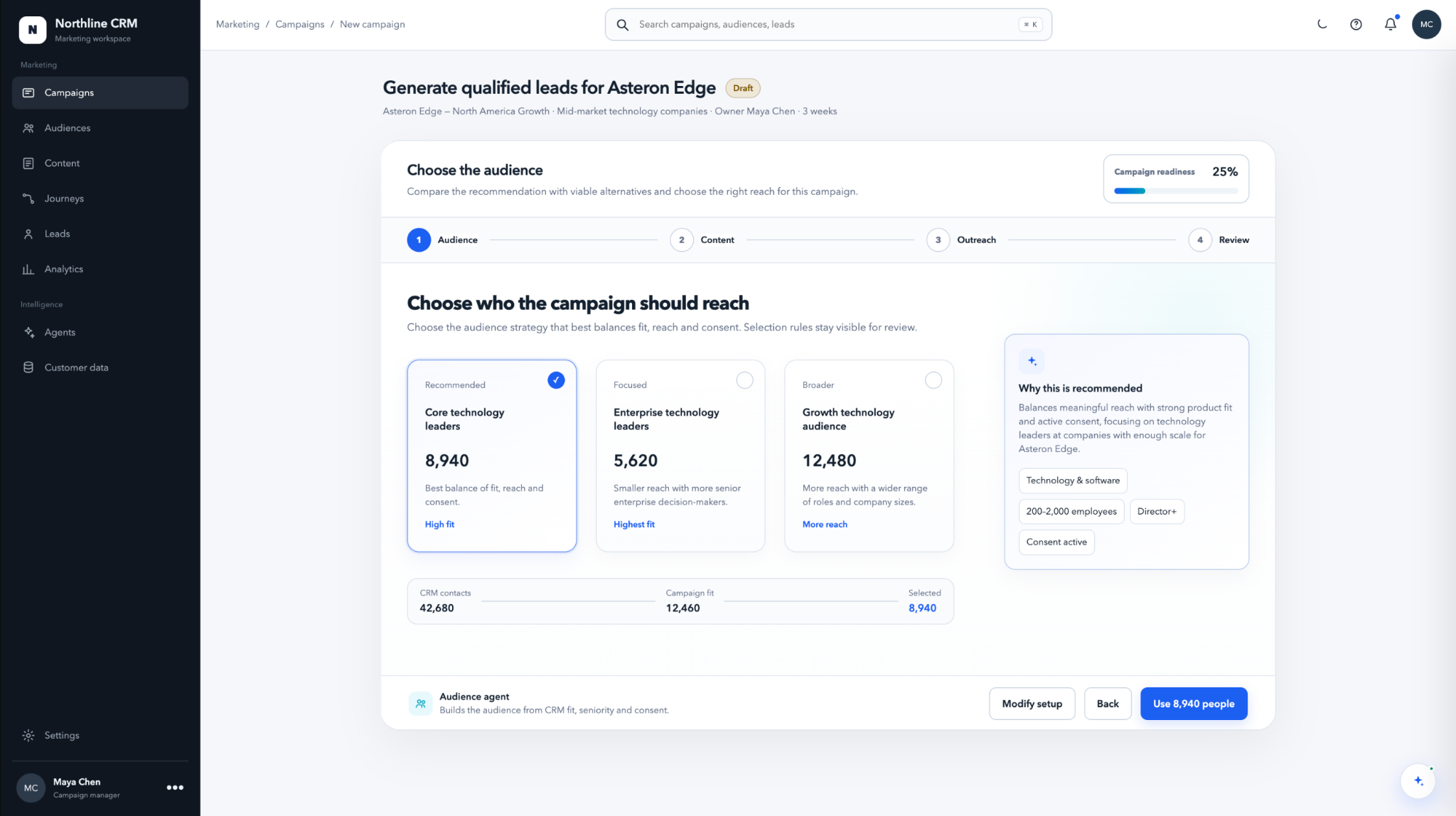
A strong default reduces setup time, but the recommendation never becomes a hidden decision. Maya can compare fit, reach and consent in the same frame before committing.
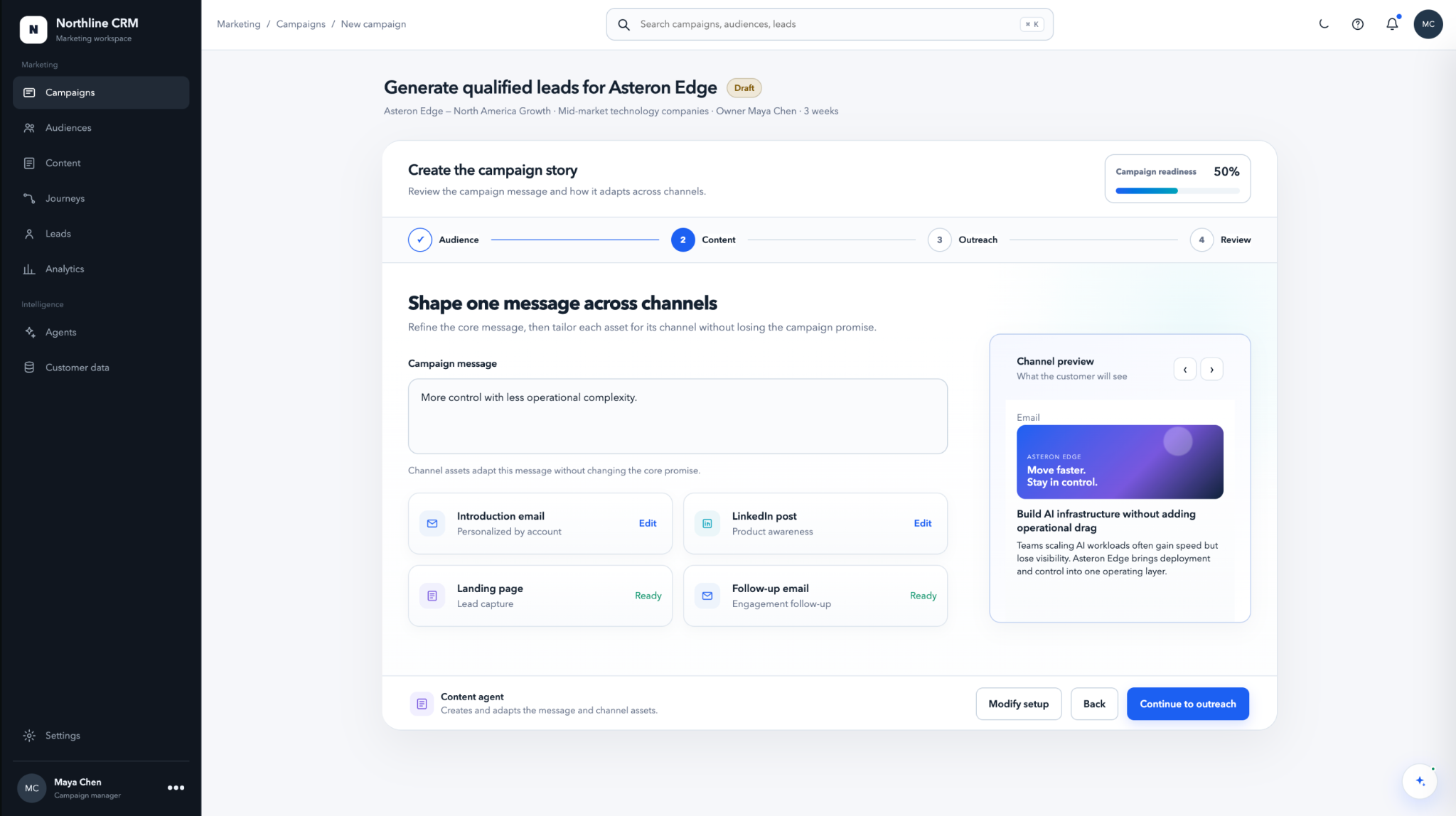
Every asset inherits the campaign story, while template, tone, media and copy remain independently editable. Generation accelerates work without turning exploration into a destructive action.
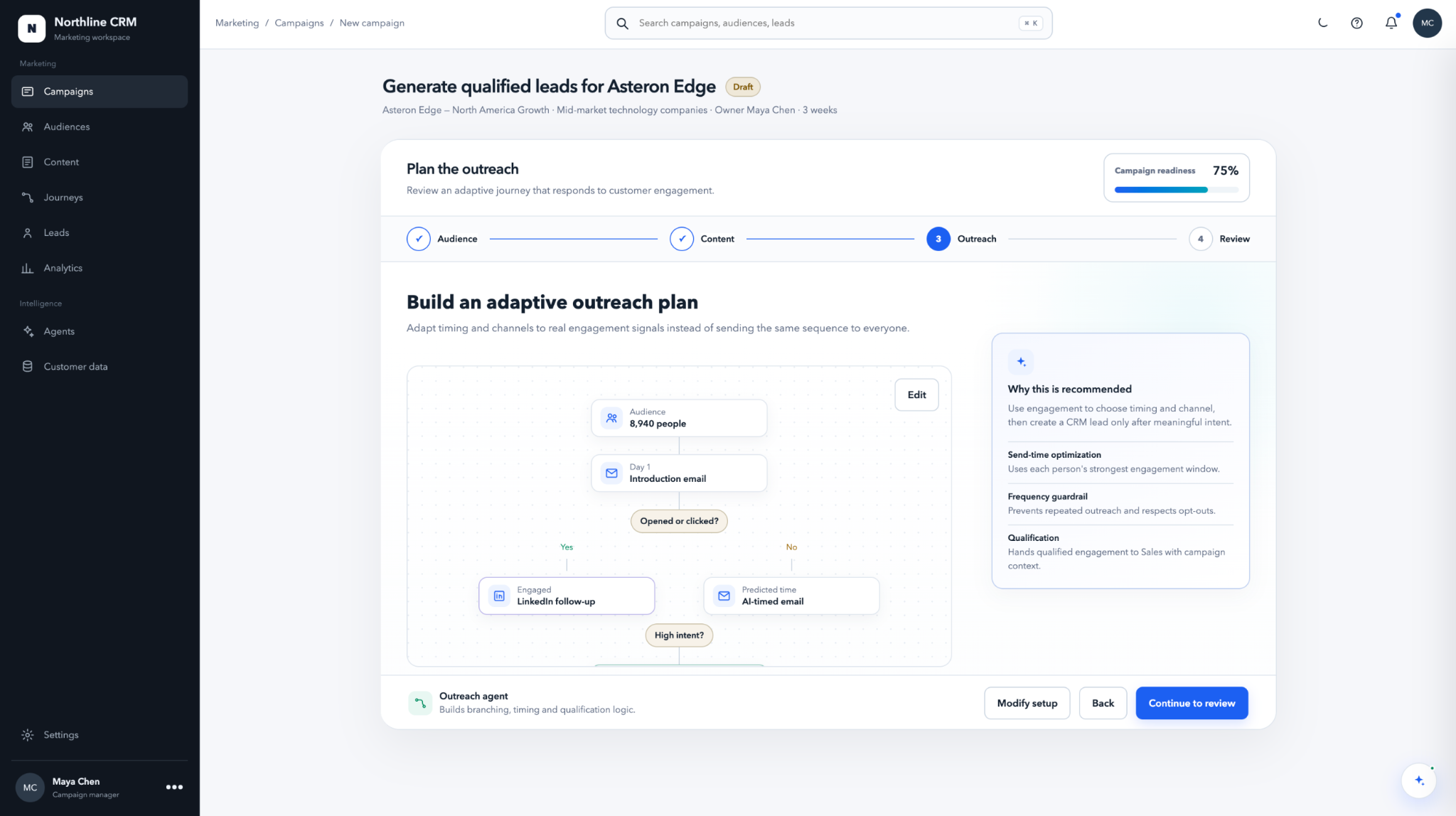
The journey is an editable object, not a hidden rule set. Nodes explain what happens; connectors expose where the next step can be inserted.
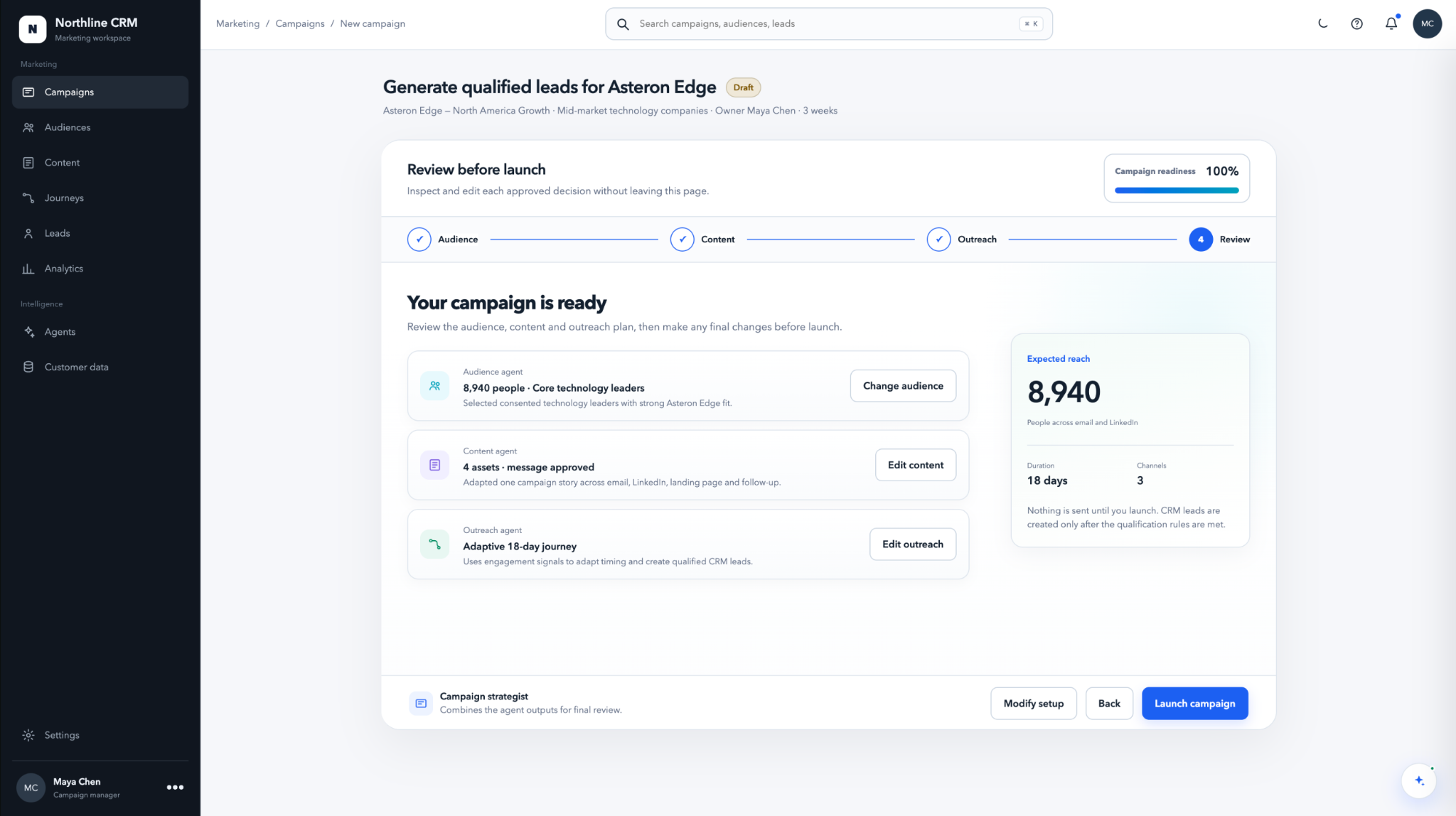
Audience, content and outreach are reviewed together so an edit in one area cannot quietly create a campaign-level contradiction.
Her CRM has the data and the business has the intent. Northline prepares the campaign across audience, content and outreach, then brings Maya into the moments where her judgment changes what customers will experience.
Start with intent
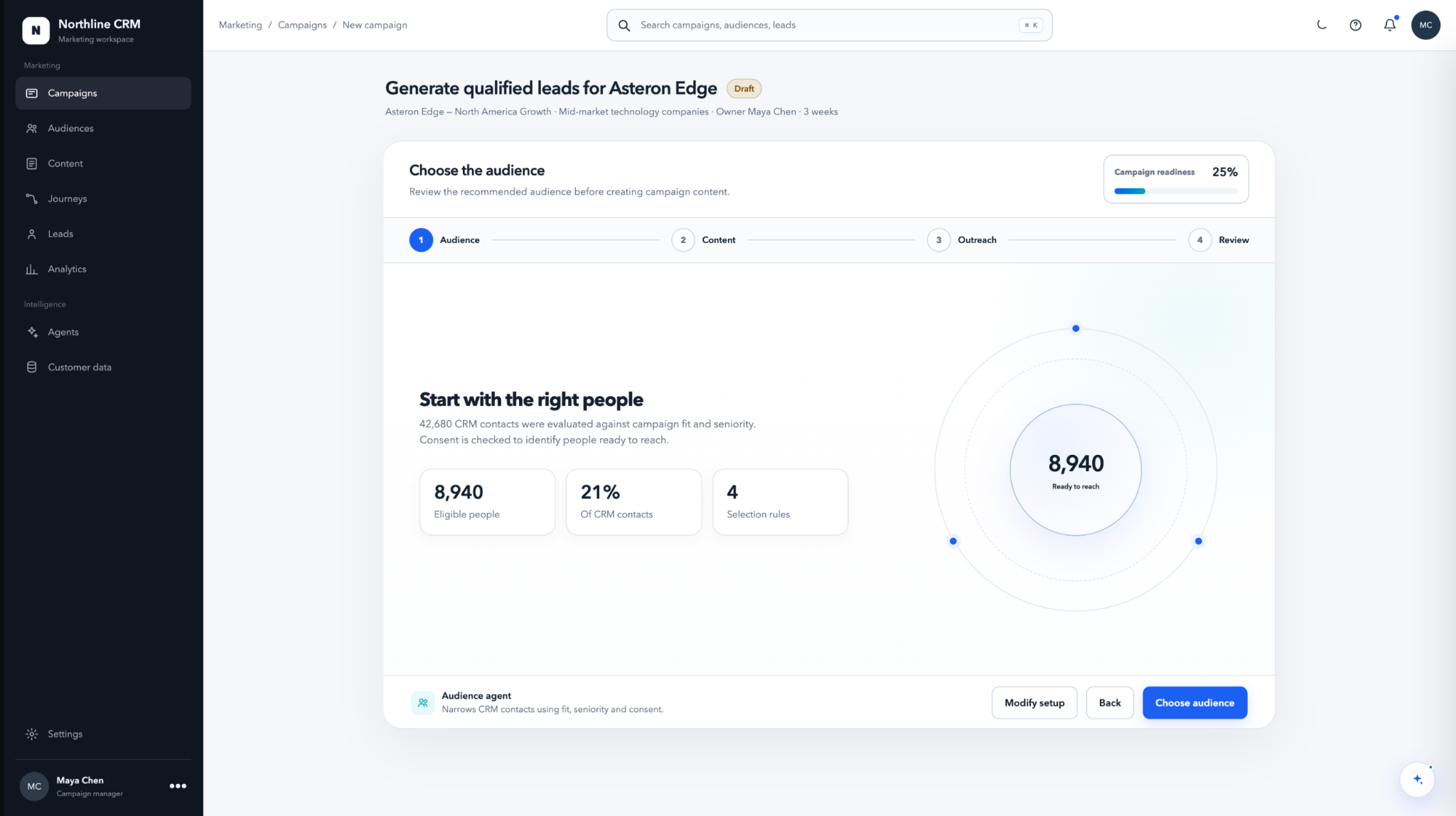
Maya sets the outcome once. Strategy frames the direction, then the same context flows into audience, content and outreach. She is not asked to restate the brief every time responsibility changes.
Make the trade-offs
Audience evaluates CRM fit, reach and consent before Maya arrives. Instead of asking her to trust a score, Northline keeps alternatives and the rationale in the same decision frame.
Shape the campaign
Content establishes the core message, then Maya can tune the channel execution without losing the promise that ties the campaign together. Reversible generation makes exploration safe.
Inspect the journey
Outreach exposes timing, branches and qualification as a journey. Maya can understand how a person moves through the campaign before the sequence is activated.
Commit with context
Review reconnects audience, content and outreach before launch. Maya can see what the system prepared, what she changed, and what will actually go live.
Learn after launch
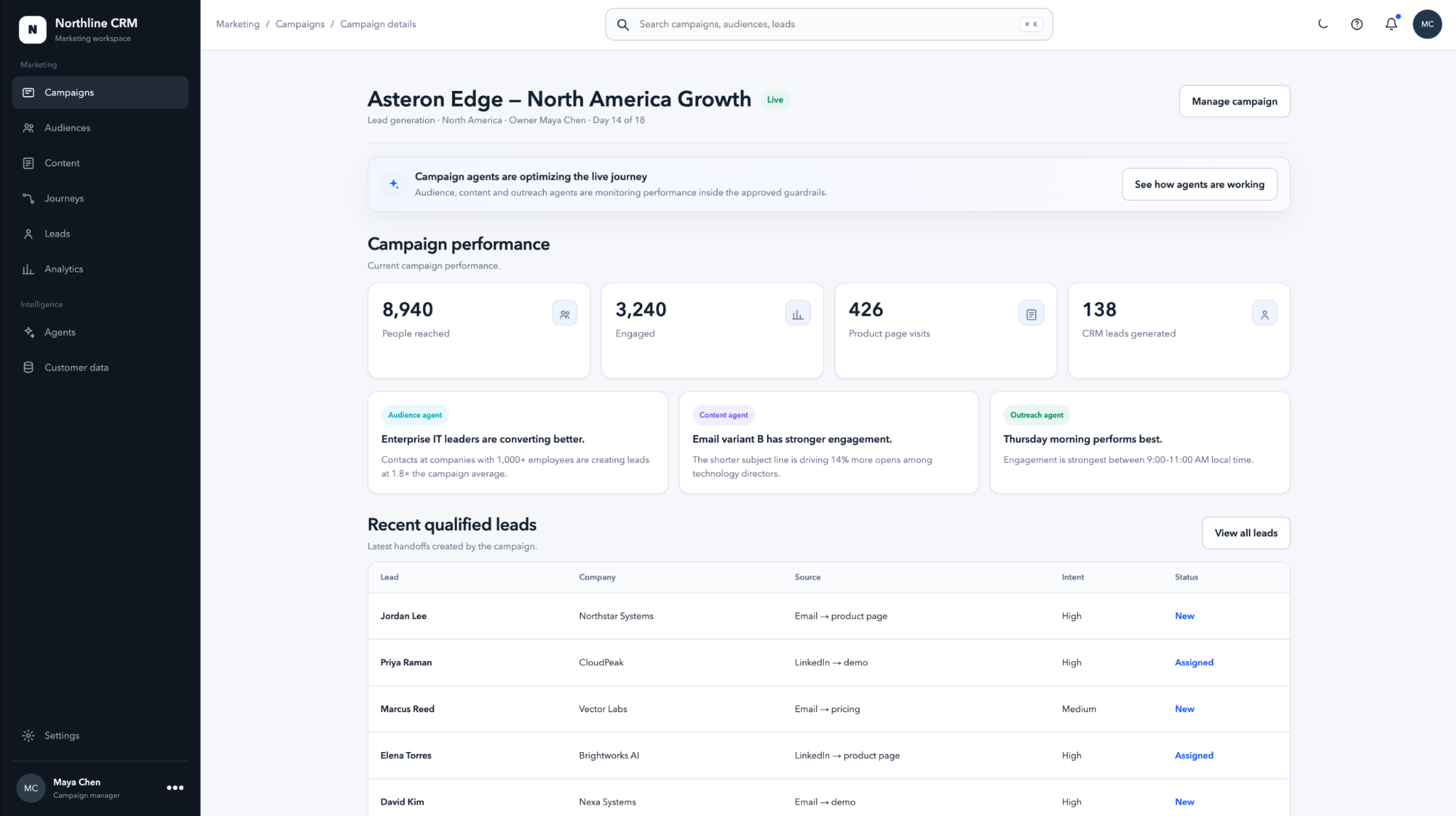
Once the campaign is running, Maya can see reach, engagement, product-page visits and qualified leads in the same context as the campaign decisions that produced them. Agent insights explain what is changing without turning the live experience into another dashboard to decode.
Working prototype
Use the flow below as a guided walkthrough. The prototype is fully interactive; the suggested path simply gets you to the most important decisions quickly.
Product value
Northline carries campaign context into execution and CRM handoff. That creates a traceable line from the audience Maya selected, to the story customers saw, to the journey they experienced, and finally to qualified demand. The prototype numbers below are modeled scenario outputs—not shipped customer results—but they show the measurement model the product was designed to support.
These figures are scenario outputs used to design the live-state experience, not claimed production results. They show how the product could connect campaign decisions to measurable customer movement and qualified CRM handoff.
Design reflection
Northline became more useful when each agent had a focused job, campaign context stayed shared, and Maya could see where her judgment mattered. The design work was less about adding AI moments and more about creating a system people could understand, direct and trust.